
Welcome to our September edition of SMV Virtual Monthly! We've rounded up the latest updates from our favorite no-code systems in one place for you to stay in the know.
SmartSuite News 🧠
Get ready to be inspired, productivity enthusiasts! SmartSuite has just launched an exciting upgrade to their dashboards that’s truly remarkable! We’ve already begun harnessing these fantastic new features to enhance our clients' experiences. This release introduces a dynamic array of capabilities designed to elevate your user experience. Get ready to explore these incredible new customization options that will transform how you work!
- Drag-and-drop wizardry that puts you in the driver's seat.
- Mind-bending data visualization tools that bring your insights to life.
- Lightening-fast performance that'll make your head spin.
- Intuitive design controls that'll unleash your inner creativity.
Trust us, you've never seen dashboards like this before! SmartSuite is taking productivity to a whole new level, and you won't want to miss out on this epic transformation. Buckle up and get ready to supercharge your workflow!
- 🛠️ New Dashboard Widgets: Customize your dashboard layout with a variety of new widgets, including Simple Banner, HERO, Heading, Summary Card, Record Selector, Record Detail, Calendar View, FAQ Section, Divider, and Spacing. These widgets allow you to add customizable banners, combine text with images, display formatted text, summarize key metrics, dynamically choose records, show detailed record information, integrate a dynamic calendar, display FAQs, and manage layout spacing.
- 🔄 Move Up & Down and New Add Button: Revamped to provide a more visually appealing and user-friendly experience.
- 📑 Tabs in Dashboards: Support for tabs, each containing an independently-configurable dashboard, for better organization.
- 🦶 Dashboard Footers: Add a configurable footer to your dashboards to give them a website feel.
- ⚙️ Dashboards Sidebar: Access all of the dashboard’s settings in the configuration sidebar for easier management.
- 🎨 Dashboard Configuration: Support for configuring dashboard width and background color to match your branding.
But the innovation doesn't stop there – we're gearing up to release eye-opening videos showcasing these fantastic improvements. Don't let this opportunity slip through your fingers! Subscribe to our YouTube channel now and stay at the cutting edge of productivity solutions.
Airtable News 🖥️
|
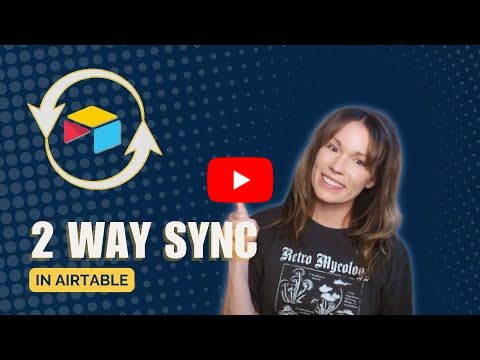
Our latest how-to video for Airtable features No-Code Consultant, Dani, who takes you step-by-step through one of the newest features: the ability to create a 2-way sync in Airtable. This comprehensive guide ensures that your data remains consistent across multiple tables, enhancing your workflow efficiency. Click here to watch the video!
Along with adding 2-way syncing to your base, Airtable came out with two other updates this month that will level-up your Interface game:
- 🎨 Conditional Number Color Formatting in Interface Designer
You can now use a set of conditions to determine the color of a number element in Interface Designer. This feature allows for better visual differentiation and quicker data interpretation based on predefined criteria.
- ✅ Add Confirmation Modals to Interface Buttons
Builders can now configure buttons in an Interface to trigger a confirmation modal. The modal's title, message, and button can all be customized, adding an extra layer of verification and user interaction to your workflows.
ClickUp News 🖱️
September has been bustling with ClickUp updates!
Here are the key highlights:
- Stay connected and collaborate in real-time with 💬 ClickUp Chat. This feature integrates directly into your workspace, allowing seamless communication without leaving ClickUp.
- Boost your data analysis with 🧮 Nested Formulas. ClickUp now supports more complex calculations within custom fields, providing deeper insights and metrics.
- Simplify task management with the 🔗 Bulk Action Toolbar. You Can now edit relationships directly from the toolbar, making it easier to manage task dependencies and connections.
- Improve your navigation with the 📂 Search Card. This new feature helps you quickly locate tasks, documents, and other items, saving you time and effort.
For a complete list of updates, check out our latest blog. These enhancements are designed to make your ClickUp experience smoother and more efficient, ensuring you have all the tools you need to succeed.
Do you see a system or service you'd like to learn more about?

Curious about the potential that no-code software holds for your business? We're here to help!
Book A Complimentary Discovery Call
Responses